Control Flow in JavaScript: If, Else, and Switch Explained
A Beginner's Guide to if-else and switch Statements
Think about how you make decisions every day. If it's raining, you grab an umbrella. Otherwise, you wear sunglasses. If you have enough money, you buy a coffee; else, you make one at home.
Your code needs to make decisions the exact same way. In programming, this is called control flow.
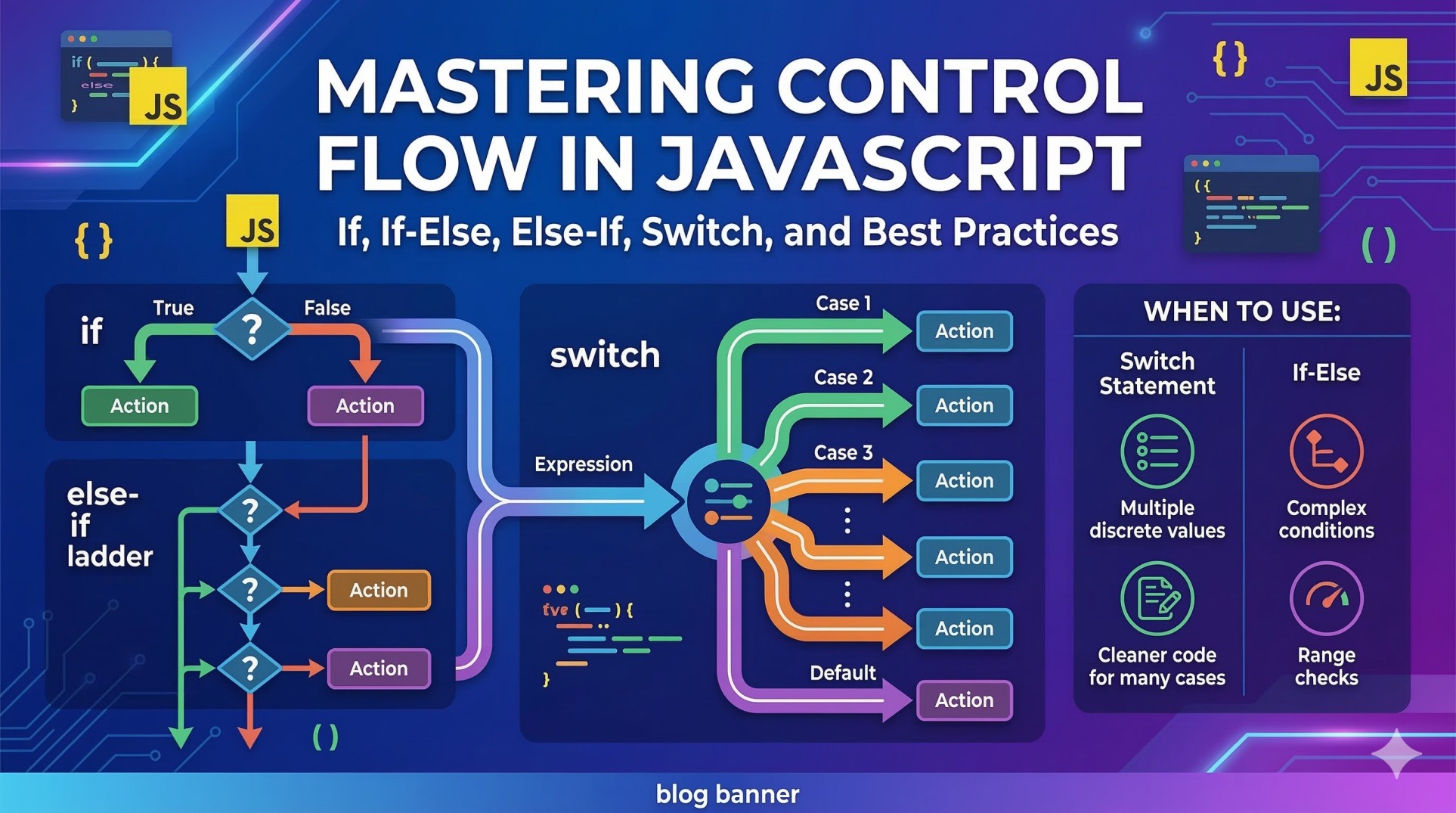
Control flow is the order in which a computer executes instructions. By default, code runs in a straight line, from top to bottom. But with control flow statements, you can tell your code to skip certain lines, run different blocks of code based on specific conditions, or repeat actions.
Let's break down how to give your JavaScript code a brain of its own!
The if Statement
The if statement is the simplest form of decision-making in code. It evaluates a condition, and if that condition is true, the code inside its block runs.
Example: Checking Age
let age = 20;

if (age >= 18) {
  console.log("You are old enough to vote!");
}
Step-by-Step:
The program checks the condition: Is the variable
agegreater than or equal to 18?Since 20 is greater than 18, the condition is
true.The program enters the curly braces
{}and prints the message to the console.
The if-else Statement
What if the condition is false and you want to do something else? That’s where else comes in. It provides a fallback option.
let age = 15;

if (age >= 18) {
  console.log("You are old enough to vote!");
} else {
  console.log("Sorry, you are too young to vote.");
}
Step-by-Step:
The program checks if
age(15) is greater than or equal to 18.The condition is
false.The program skips the first block and immediately runs the code inside the
elseblock.
The else if Ladder
Sometimes, you have more than two possibilities. The else if ladder lets you chain multiple conditions together.
Example: Checking Marks
let studentMarks = 85;

if (studentMarks >= 90) {
  console.log("Grade: A");
} else if (studentMarks >= 80) {
  console.log("Grade: B");
} else if (studentMarks >= 70) {
  console.log("Grade: C");
} else {
  console.log("Study harder!");
}
The program checks each condition from top to bottom. As soon as it finds a true condition (in this case, studentMarks >= 80), it runs that block and skips the rest of the ladder entirely.
The switch Statement
When you have a single value that you want to check against many specific cases, writing a long else if ladder gets messy. The switch statement is a much cleaner alternative.
let trafficLight = "Green";

switch (trafficLight) {
  case "Red":
    console.log("Stop!");
    break;
  case "Yellow":
    console.log("Slow down.");
    break;
  case "Green":
    console.log("Go!");
    break;
  default:
    console.log("Invalid light color.");
}
Why the break keyword is crucial!
Notice the break at the end of each case. When the program finds the matching case ("Green"), it runs the code. The break tells the program, "We found what we needed, exit the switch statement now."
If you forget to include break, the program will keep running the code for all the following cases, even if they don't match! This is called "fall-through," and it is a very common beginner bug.
When to use switch vs if-else
Use
if-elsewhen you are checking ranges (likeage > 18), multiple different variables, or complex true/false conditions.Use
switchwhen you are checking a single variable against a list of specific, exact values (like days of the week, menu options, or specific strings).
Your Assignment
Ready to put this into practice? Try writing the following programs in your code editor:
Number Checker: Write a program using
if-elsethat takes a number and prints whether it is positive, negative, or zero.Day of the Week: Write a program using
switchthat takes a number from 1 to 7 and prints the corresponding day of the week (1 = Monday, 2 = Tuesday, etc.).Reflect: Explain in your own words why you chose
if-elsefor the first program andswitchfor the second.